LispM Desktop

Three classic desktops, one workspace for agents.

LispM Desktop turns GNU Emacs into a complete workstation ready from the first start. Pick the classic system you know—Symbolics Open Genera 2.0, Mac OS 9 Platinum & Dracula, or Windows 3.2—and work with your files, coding agents, LispM Browser and native Alacritty terminals in one place.

Three Desktops

Which system do you know?

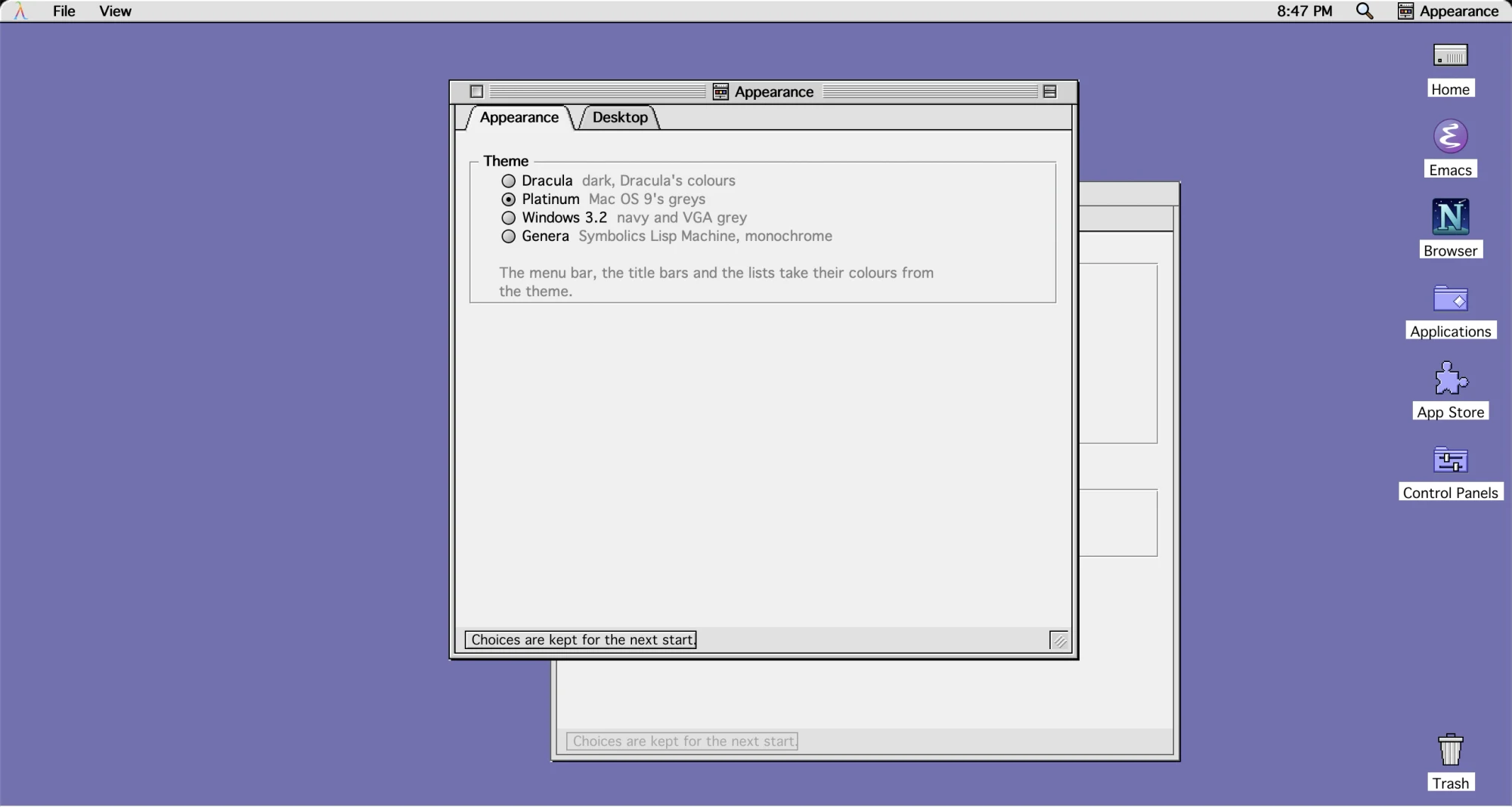
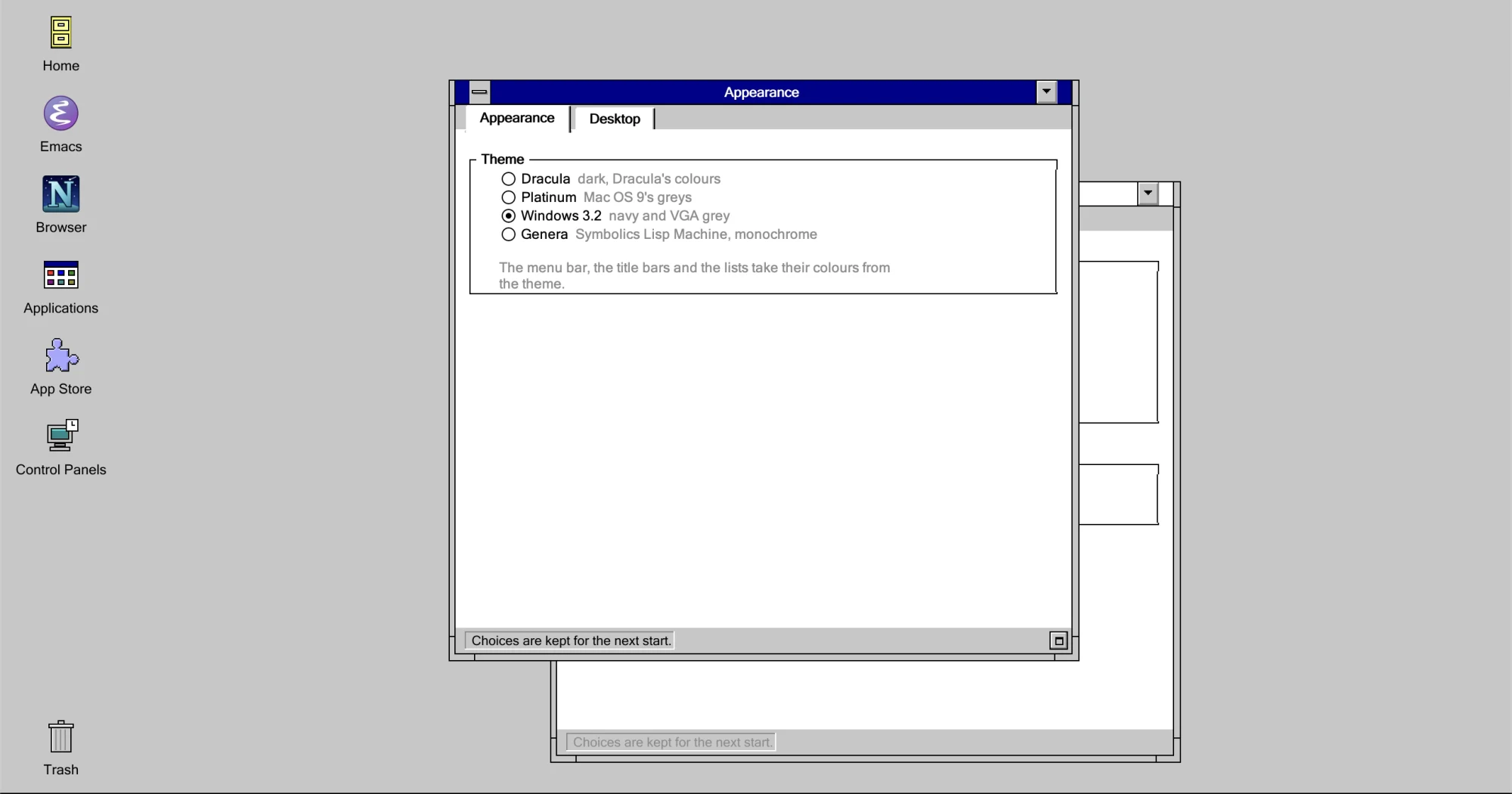
At first start, or at any time in Control Panels → Appearance, switch the entire workstation between three faithful classic interfaces.

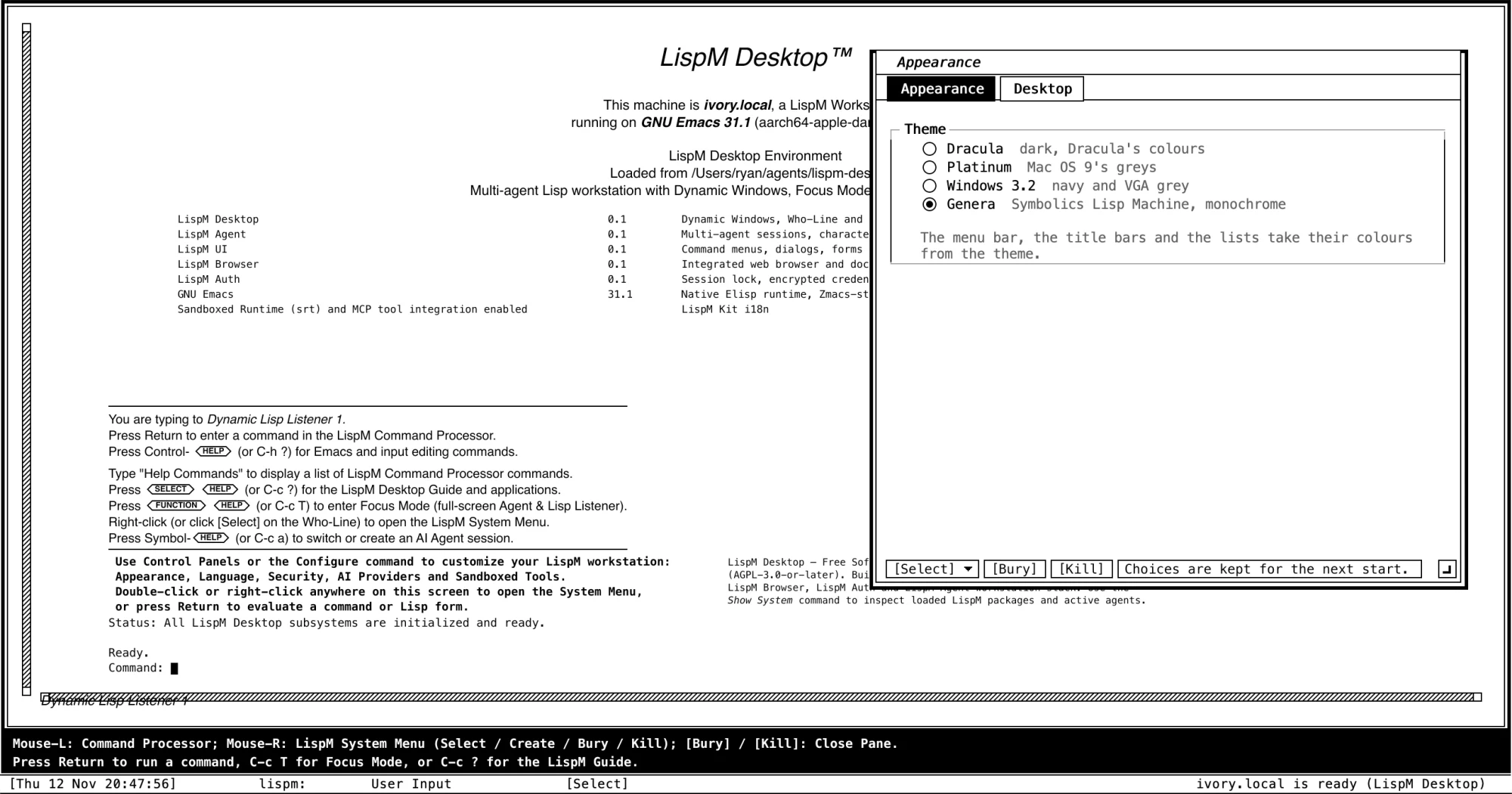
Symbolics Open Genera, in 1-bit monochrome.

Switch LispM Desktop to Symbolics Open Genera 2.0 and the top menu bar, desktop icons and Control Strip give way to a 1-bit monochrome Dynamic Windows workstation: paper-white headers, double-rule borders, 45° hatched scrollbars, a Who-Line and a 2-line inverse-video Mouse Documentation Line.

Lisp and AI at one Command: prompt.

In Dynamic Lisp Listener 1, type a Lisp form at Command: to evaluate it inline, or type a task in plain English at the very same prompt—the Who-Line switches from User Input to Agent Run as LispM edits the code and runs the tests.

Create ▸ Emacs, sweep to size.

Right-click anywhere to open the 1-bit Dynamic Windows System Menu, choose Create ▸ Emacs, and drag a dotted rubber-band outline across the screen to size and place the window—then click [Bury] or [Kill] on any frame header to return to the Listener.

The Lisp Machine in a terminal, too.

Start emacs -nw in any terminal or over SSH and the same Dynamic Lisp Listener 1, block-character λ, Command: prompt and Who-Line run in text mode.

Workspaces & Browser

A Finder, an editor, a WebKit browser and Chrome extensions.

Every project gets its own workspace with its files, agents, LispM Office pixel desks and shells together, alongside LispM Browser.

Every project, a workspace.

LispM Desktop gives you a Finder for your files, an editor with a workspace for each project—its files, agents, Alacritty terminals and LispM Office together—and remote projects over SSH.

Make it yours.

Switch between Symbolics Open Genera, Mac OS 9 Platinum & Dracula, and Windows 3.2 at any time, drag windows off LispM's desktop onto your screen in Coherence mode, or change the look from Control Panels and the Control Strip.

Standalone Mac apps in your Dock.

Hide the desktop (C-c h) and open Stickies, the App Store, Tetris or any LispM app directly from the macOS Dock or Spotlight as a standalone Mac app with its own Dock tile and menu bar, while LispM runs out of sight.

The full desktop, inside a terminal.

Start Emacs with emacs -nw in Kitty or Ghostty and the entire LispM Desktop—its menu bar, desktop icons rendered over the Kitty graphics protocol, floating windows and games—runs inside your terminal.

Common Lisp beside Emacs, and GNU Emacs 31 & 32.

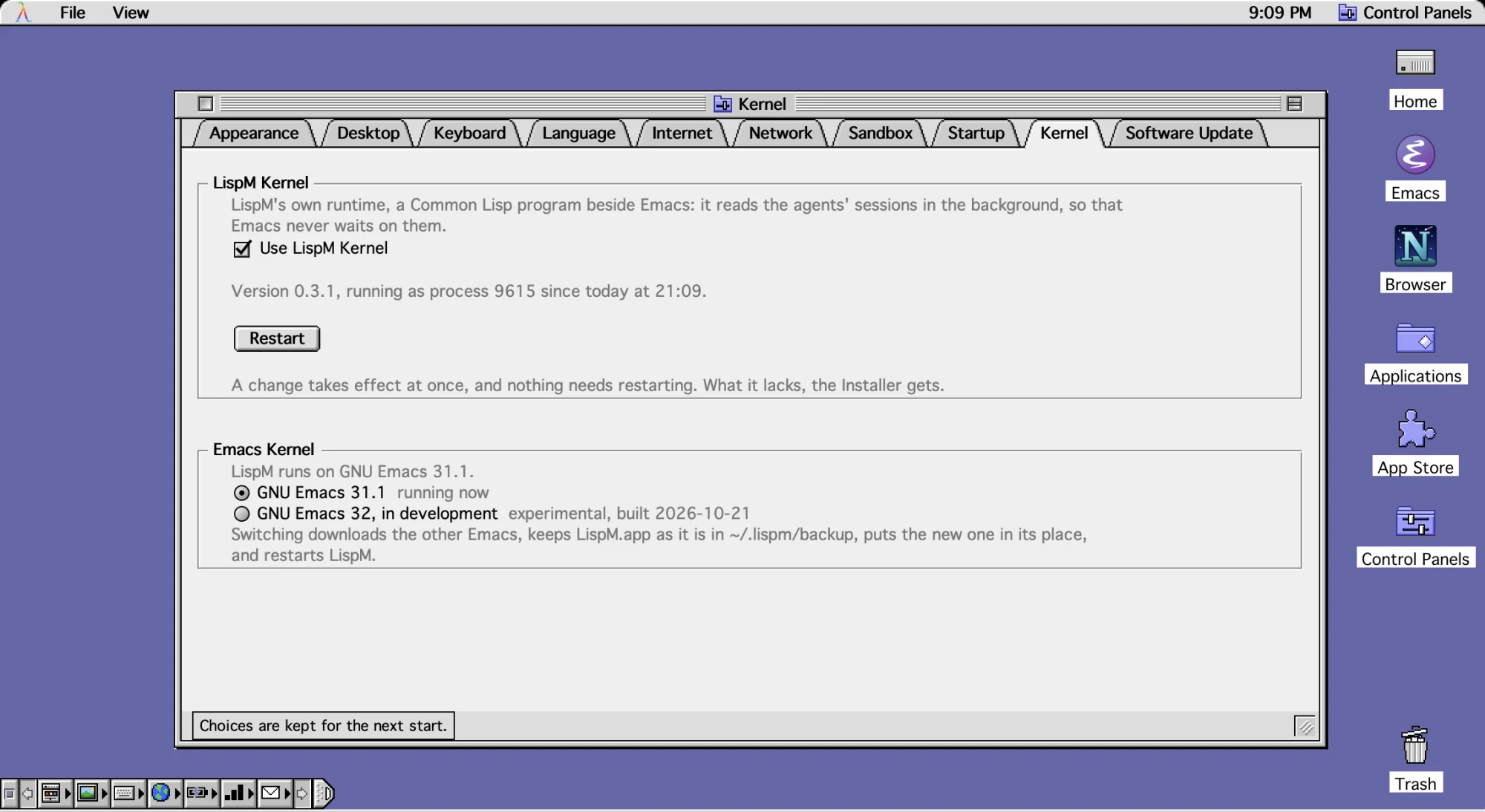
In Control Panels → System → Kernel, turn on the LispM Kernel—a Common Lisp runtime running beside Emacs that keeps your sessions—and switch live between GNU Emacs 31.1 and experimental GNU Emacs 32.

Control Panels open on the Kernel tab, showing the LispM Kernel Common Lisp runtime toggle and the Emacs Kernel selector between GNU Emacs 31.1 and GNU Emacs 32.

The web, from the keyboard.

LispM Browser is a WebKit browser with tabs, history and bookmarks. The location field takes an address or a search; f labels every link in sight, and typing a label follows it.

Chrome extensions, inside Emacs.

On macOS 15.4 and later, LispM Browser runs Chrome extensions from the Chrome Web Store, managed at lispm://extensions, with toolbar popups, M-e keyboard actions and full worker support for extensions like Rabby.

Focus Mode, a Lisp Machine's console.

Press C-c T, or ask LispM, and the desktop gives way to LispM's terminal: the sessions on the left, a listener on the right and a who line along the bottom, all from the keyboard, as a Lisp Machine's console was. Leave it, and the desktop is exactly as it was; or start LispM in it, with no desktop at all.