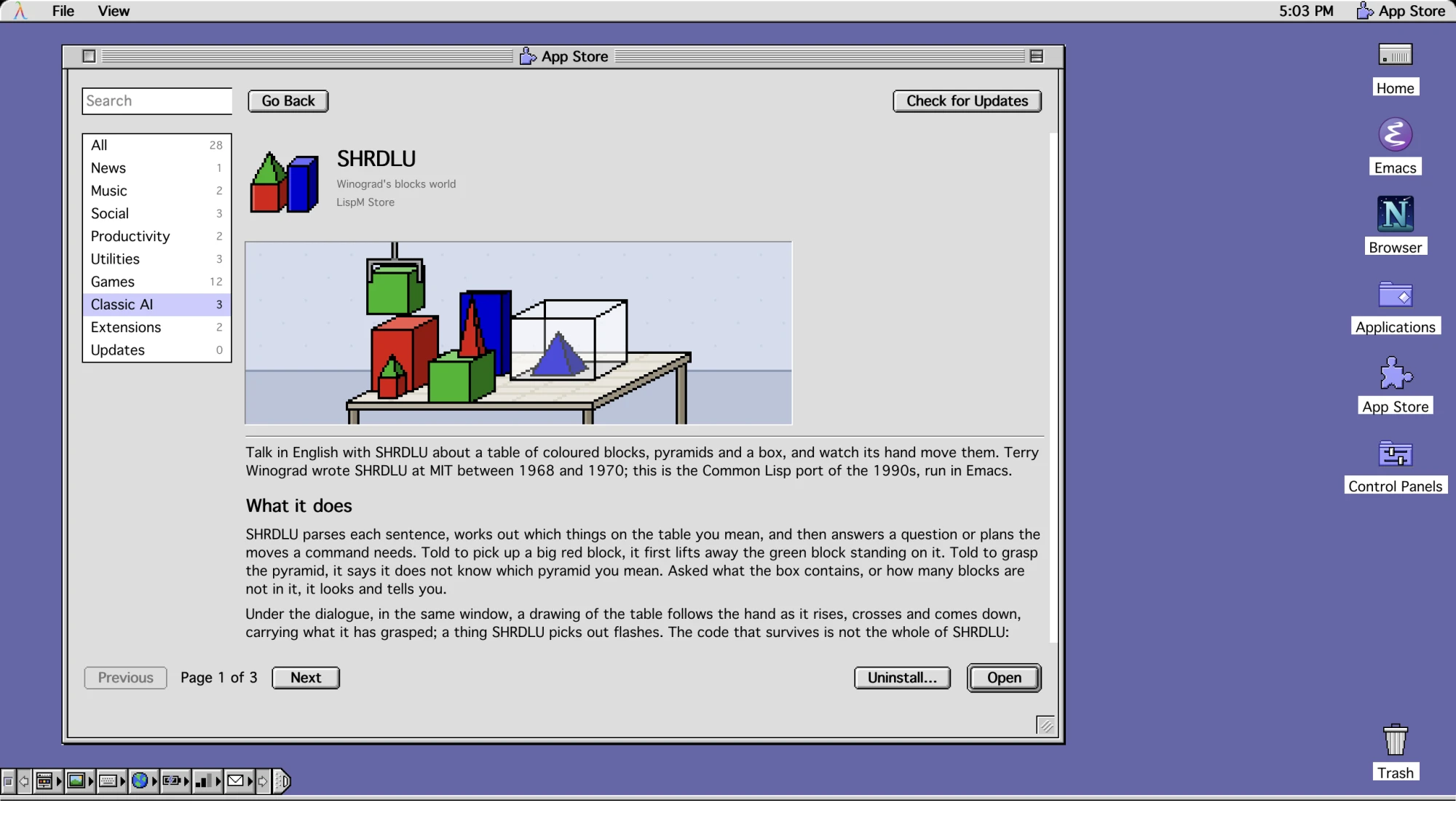
Every app, a page of its own.
In the LispM App Store, each app shows what it does, who made it, its licence and what it needs. Get installs it with whatever it needs, from Homebrew or Cargo, and uninstalling takes those away when nothing else uses them.
No app for it yet? Ask anyway.
Ask LispM in M-x ai for something no installed app does yet—like reading Lisp news—and the agent searches the LispM App Store, asks before installing Elfeed, and opens the headlines with its new skill.
Three old AIs, running again.
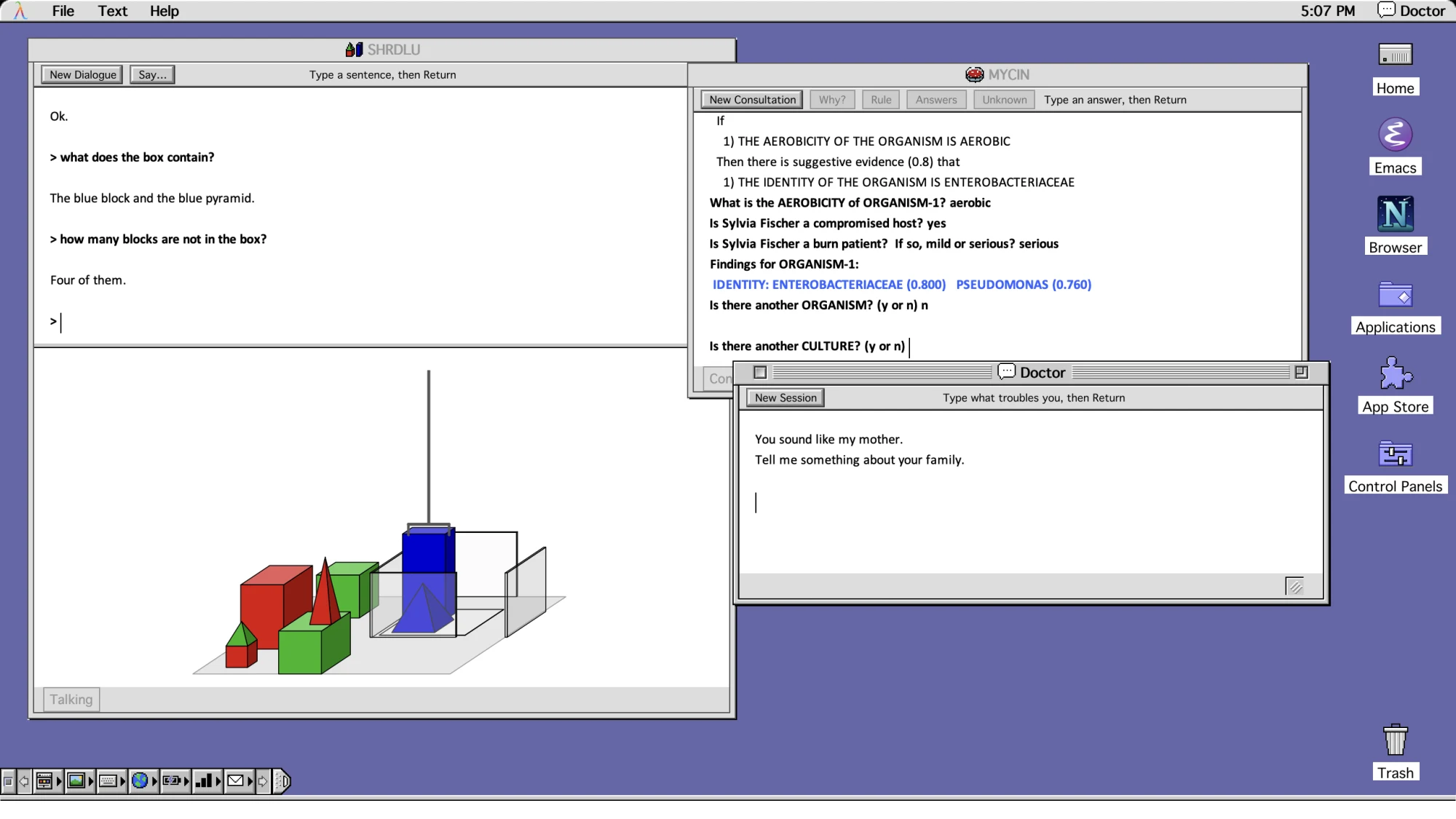
LispM's Classic AI holds Doctor from 1966, SHRDLU from 1970, moving its blocks as you talk to it, and MYCIN from the 1970s, which shows the rule it is trying when you ask why.
Doctor, SHRDLU and MYCIN, side by side.
Joseph Weizenbaum's 1966 ELIZA Doctor, Terry Winograd's 1970 blocks-world SHRDLU and Stanford's 1970s MYCIN expert system run side by side on LispM Desktop, each with a skill so modern agents can converse with them.
Doom, drawn with OpenGL inside Emacs.
On LispM Experimental (GNU Emacs 32), LispM Doom renders classic Doom at full speed inside an Emacs window using LispM GL's OpenGL surface.
LispM Office (C-c O)
Installed by default: an 8-room animated pixel office where every agent session has a desk, working agents type, waiting agents raise a hand, and clicking a desk approves calls.
Skills come with apps
Install an app in LispM and its manual comes as a skill: agents read feeds, play music, stick notes, manage mail, chat on IRC, Slack and Telegram, and check security.
AI Harnesses
From the LispM App Store, Hermes, Holon and OpenClaw, agents of their own, join Claude Code, Codex and @Ada in one sidebar.
For every day
The LispM App Store has LispM Mail, Stickies, an RSS feed reader, music and YouTube, a calendar, IRC, Slack and Telegram, and 1Password.
Classic AI
1960s and 1970s AI landmarks restored inside Emacs: Joseph Weizenbaum's 1966 Doctor, Terry Winograd's 1970 SHRDLU, and Stanford's MYCIN.
And games
Tetris, Solitaire, Conway's Game of Life and Dunnet, and Doom drawn with OpenGL on LispM Experimental.